
Add your company logo
Choose your logo and place it on the photo.
ADD CUSTOM TIME AND ADDRESS TO YOUR PHOTOS
Set the date, time, address and GPS coordinates shown on your photos.
See what you can add to your photos

EDIT THE PHOTO WATERMARK
Change the date, time, address or GPS coordinates in the watermark before saving.
Choose the date and time you want the watermark to show.
See how it worksCheck the watermark before you save.
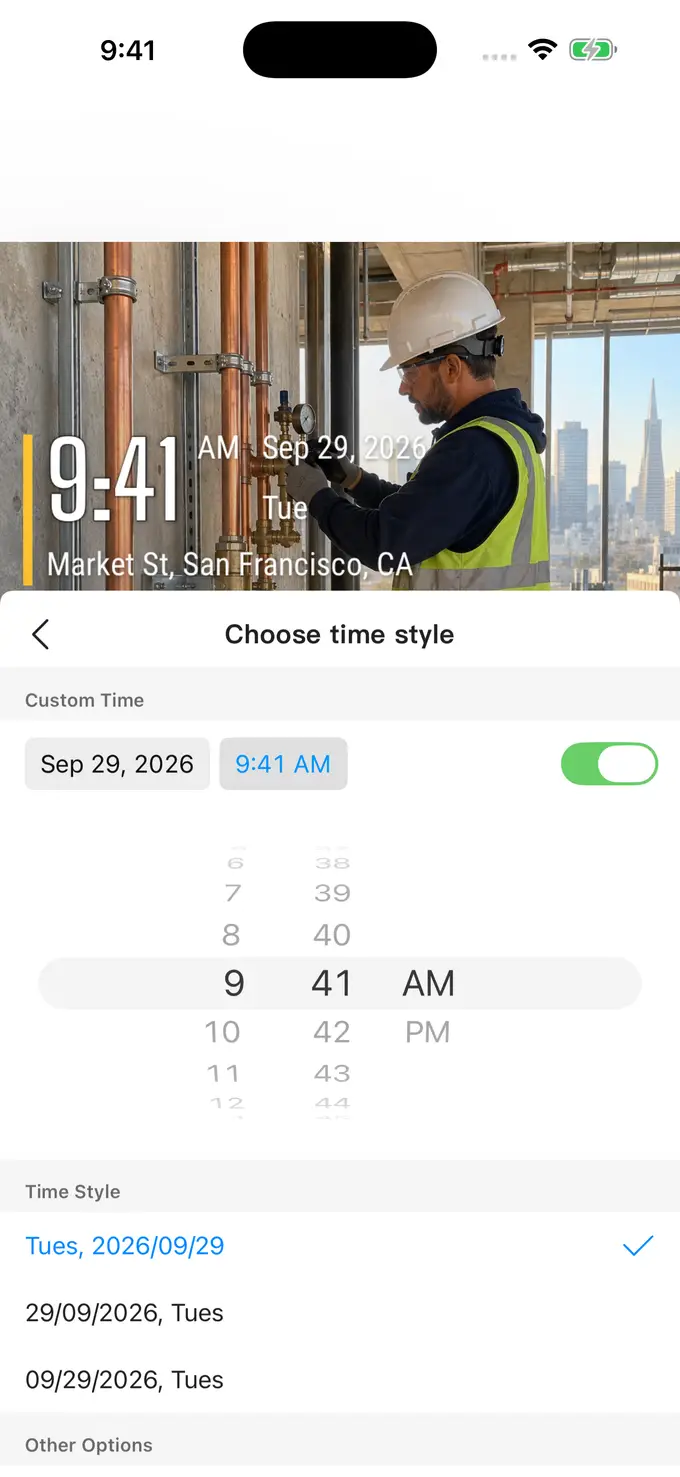 TimeFix on iOS · Example settings

USE A PHOTO FROM YOUR ALBUM
Choose a photo from your album. Add the date, address or work notes, then save it.
CHOOSE A WATERMARK
For construction, repairs or inspections, choose the information you need on the photo.
Show just the time and address, or add more job details.
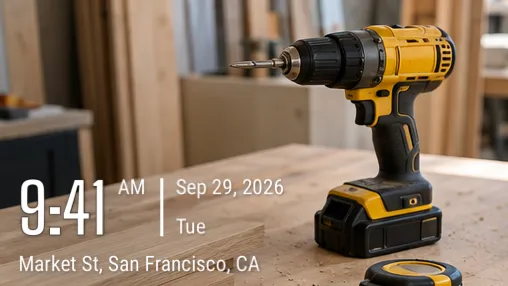
Add your company logo, company name or work notes to the photo.
Choose your logo and place it on the photo.

Add a name, phone number or a short note about the work.
PHOTO EDITING TOOLS
Set the date and time in the photo watermark. Take a new photo or choose one from your album. Available on iPhone and Android.
View instructions 02Write the site name, address or GPS coordinates on the photo. You can edit these in TimeFix on iPhone and Android.
View instructions 03Add date, time, address, logo, or text watermarks to existing photos with TimeFix. Import from your album, customize the details, and save your result.
View instructionsHOW TO USE TIMEFIX
Yes. You can customize the date, time, address, and coordinates displayed in your watermark. These are editable photo labels; they do not verify when or where a photo was taken.
Yes. Import a photo from your album, choose a watermark, and adjust the details before saving the result.
Yes. Add your company logo or type your company name and work notes on the photo.
TimeFix is free to download. Some editing tools need a paid VIP plan. Check the app for prices and included features.
TimeFix is available on the App Store for iOS and Google Play for Android. Use the download links below to visit the store for your device.

DOWNLOAD TIMEFIX
Download TimeFix and try it with a photo from your album.
Download TimeFix for free